Free WordPress plugin
Your Grover Work app, inside WordPress.
Send bids customers sign on their phone and take card and bank payments, without leaving your WordPress admin. Add a request-a-quote form to your site in a minute.
Download the plugin (version 1.0.0) See how it works
Free. It is submitted to WordPress.org and in review. Until it is listed there, install this file from Plugins, Add New, Upload Plugin.
How it works
Four steps
- 1
Install the plugin
Add it from your WordPress admin and activate it. A new Grover Work item appears in your menu.
- 2
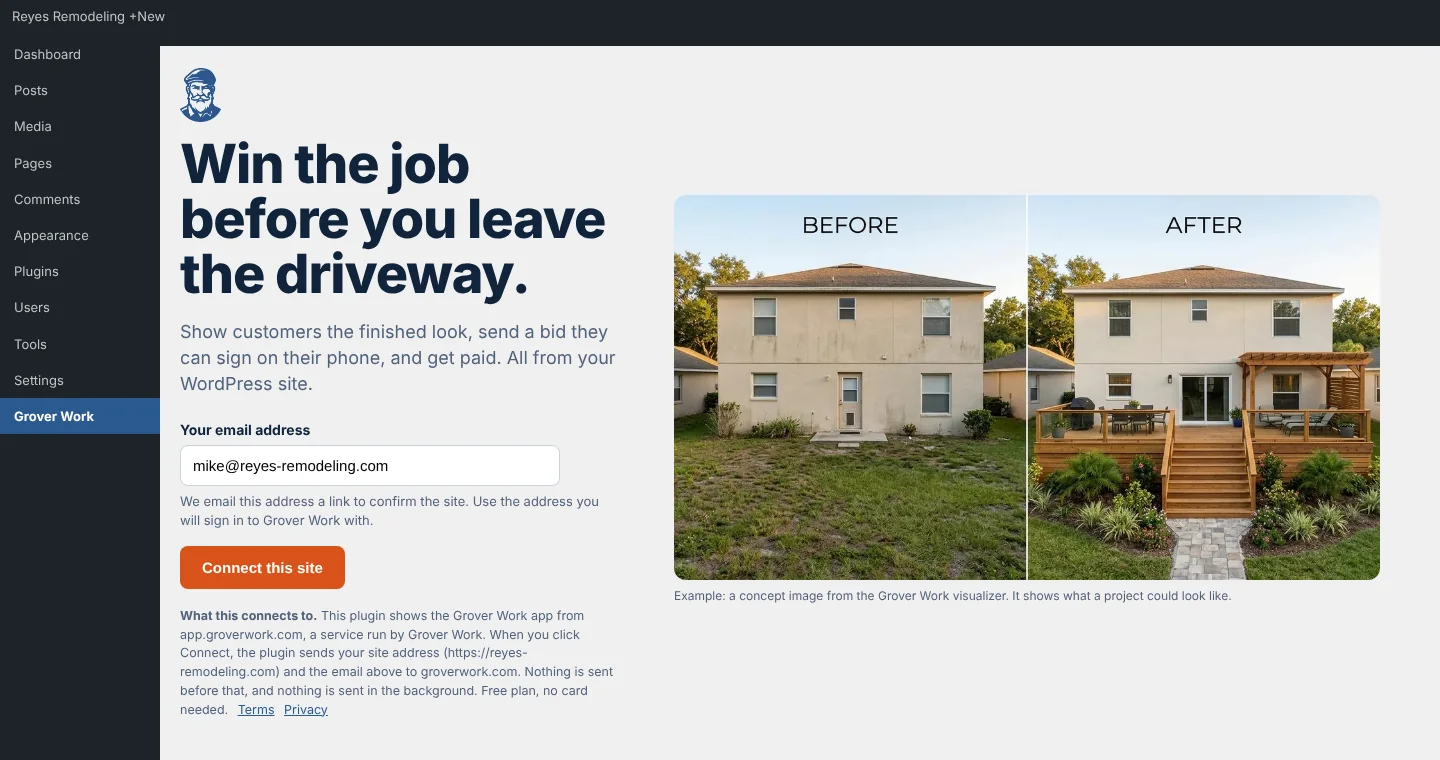
Confirm your site by email
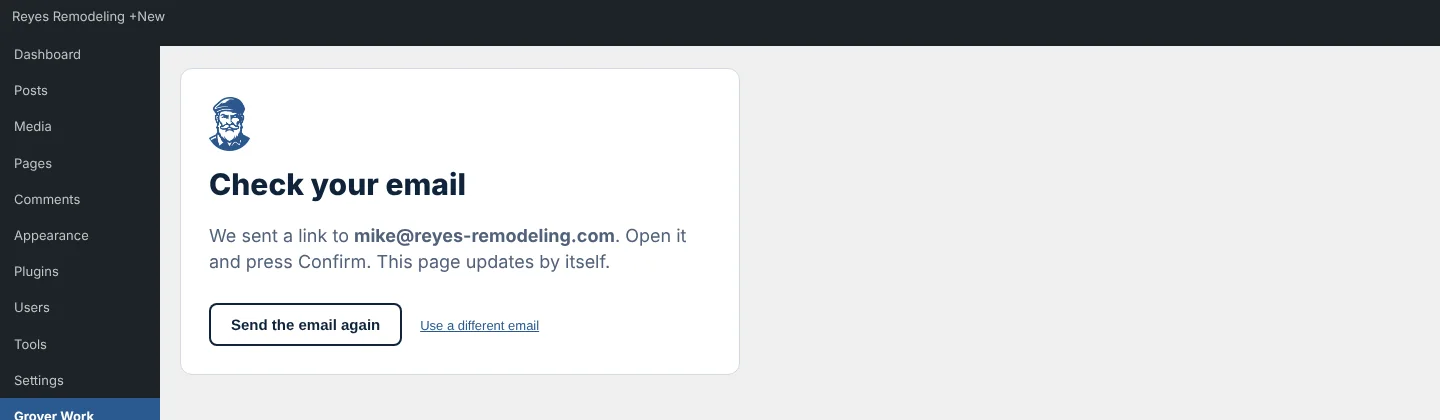
Click Connect this site. We email you a link, you press Confirm, and the screen updates by itself. Nothing is sent before you click.
- 3
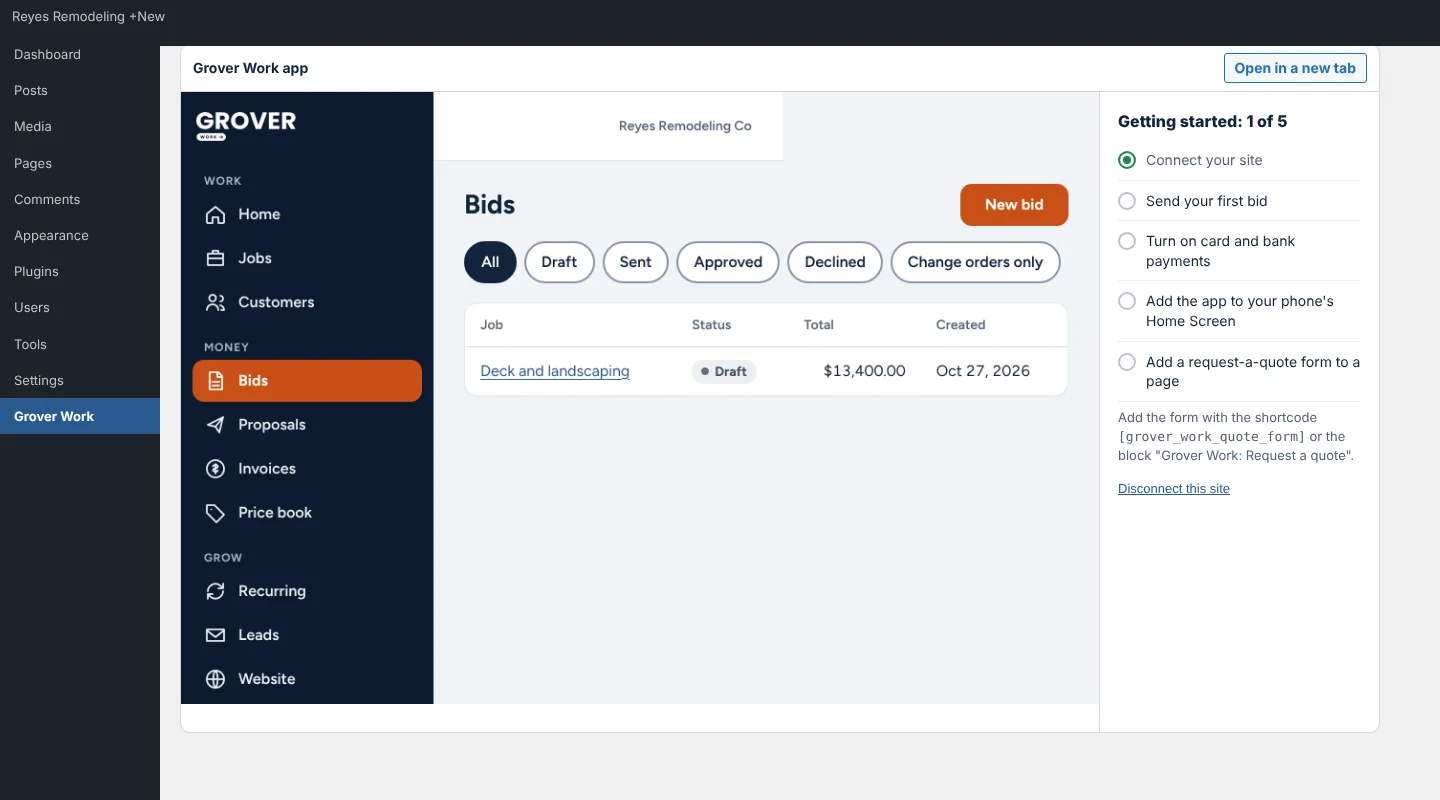
Use Grover Work without leaving WordPress
Your Grover Work app opens right inside your admin. Sign in or create a free account, then build and send your first bid.
- 4
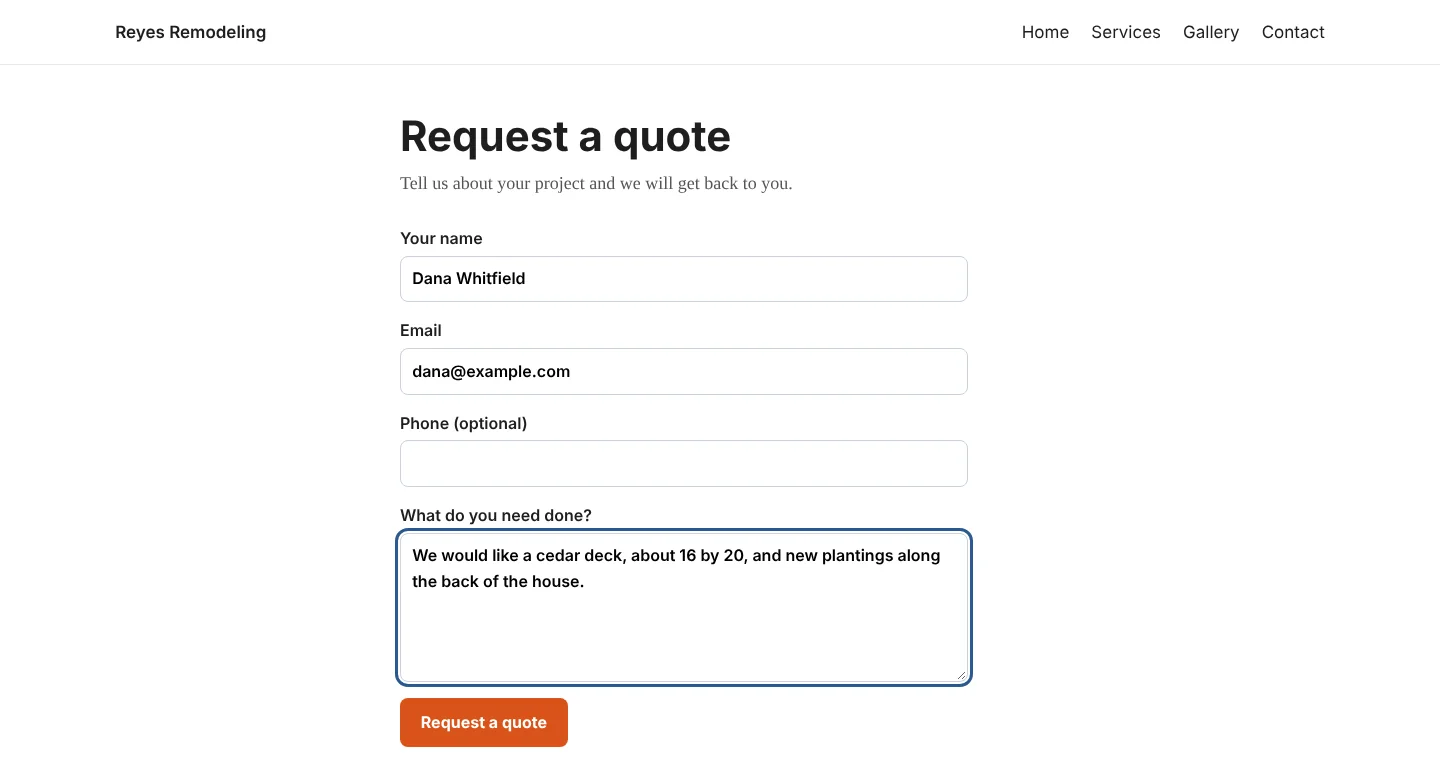
Put a request-a-quote form on your site
Add the block or the shortcode to any page. Requests are emailed to you with WordPress's own mail.
Privacy
What the plugin sends, and when
WordPress sites trust plugins that say exactly what they do. This is the same list that is in the plugin's readme.
- When you click Connect this site
- Your site address (for example https://example.com), the email you typed and the plugin version go to api.groverwork.com. We email that address a confirmation link.
- While it says Check your email
- The open admin page asks every few seconds whether you confirmed. It sends your site address and a random code made for this connection.
- When you click Disconnect this site
- The same two values are sent so we can remove the connection.
- At any other time
- Nothing. No background calls, no visitor tracking, and nothing added to your public pages except the quote form where you place it.
How it compares
Looking at other WordPress invoicing plugins?
We checked what two popular ones say about themselves on WordPress.org, and put it next to ours with links and the date we checked.
Questions
Before you ask
Does the plugin cost anything?
No. The plugin is free. Grover Work has a free plan that needs no card. Paid plans and payment fees are listed on our pricing page.
What does it send to Grover Work?
Nothing until an administrator clicks Connect this site. Then it sends your site address, the email you typed and the plugin version so we can email you a confirmation link. It does not track your visitors and does not send anything in the background. The full list is in the plugin's readme under External services.
Where are my bids and invoices kept?
In your Grover Work account, not in your WordPress database. The plugin is a connector that shows the app inside WordPress and adds the quote form.
What does the quote form do?
It emails the request to your site administrator address with WordPress's own mail. Nothing from the form is sent to Grover Work.
Can I remove it?
Yes. Click Disconnect this site, or delete the plugin. The connection details in your WordPress options are removed with it. Your Grover Work account and data are not affected.
Why does the app say it cannot be shown?
Some security plugins block frames. Use Open in a new tab on the same screen, or allow app.groverwork.com in your security plugin's frame settings.
Bring Grover Work to your WordPress site
The plugin is free, and so is the Grover Work plan to start.