Deposit on a bathroom remodel
$2,500 paid by bank
- Grover Work Pro$5.00
- Jobber$25.00
- Housecall Pro$25.00
You keep $20.00 more
Pro plan, free for 90 days
Built for builders
Run Your Business. Not Just Your Jobs.
Grover Work is home service business software. Build estimates, schedule visits, send change orders and invoices, and take card or bank payments, all in one place.
Try Pro free for 90 days
A card is needed to start. After 90 days Pro is $49 a month unless you cancel or move to the free Starter plan first. See the pricing section for plan details.
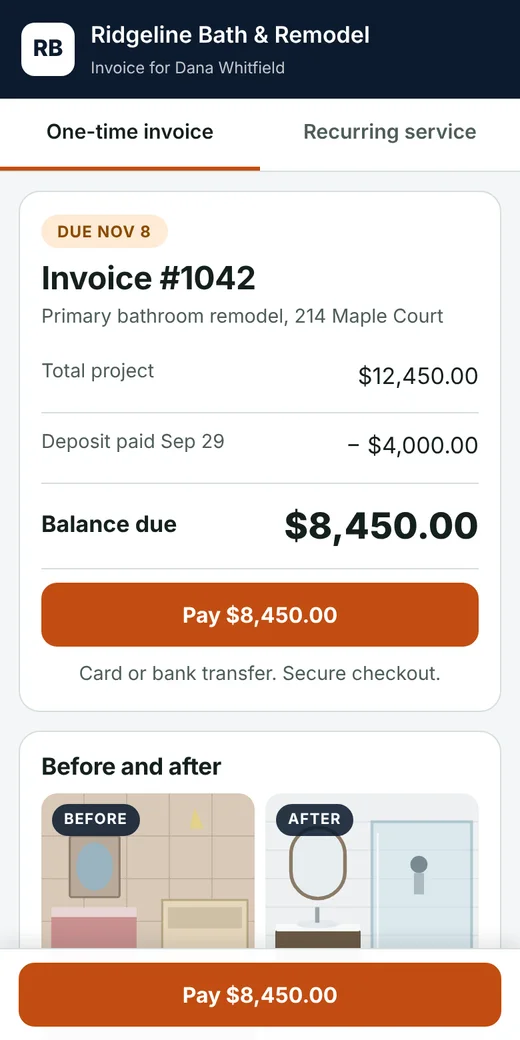
See a sample invoice, the way your customer sees it →
Henderson kitchen remodel
62% complete. A sample job.
The screens you and your customers use.
No contracts. As you move more money through Grover Work, your rate drops. No setup fee.
For getting started and testing the water.
Card all in: $31.30 on a $1,000 payment (3.13%). Processing included.
The full toolkit for a busy contractor.
Billed $490 a year
Card all in: $29.30 on a $1,000 payment (2.93%). Processing included.
For busy crews that want more people, room and a lower rate.
Billed $990 a year
Card all in: $30.00 on a $1,000 payment (3%). Processing included.
For crews moving real volume.
Billed $1,490 a year
Card all in: $29.30 on a $1,000 payment (2.93%). Processing included.
The highlight shows the plan with the lowest plan price plus Grover Work plan fees for your volume and team. Stripe's own fee is the same on every plan, so it is left out. Assumes a $2,000 average payment.
Moving more than about $150,000 a month in payments? Talk to us about custom pricing.
Every plan includes recurring payments, autopay and scheduling. Plans differ by volume: the more you move, the lower your rate.
Rates shown are combined, with card processing included. Nothing is hidden: the compare page shows the all-in cost of a payment of any size.
See how we compare, with sources
Free accounts that go 90 days without a sign-in or a payment have automatic follow-up emails paused. Nothing is deleted, and signing in turns them back on.
Pro plan, free for 90 days
One simple place for your quotes, your customers and your invoices. Built for contractors working from a truck, not a desk.
A card is needed to start. After 90 days Pro is $49 a month unless you cancel or move to the free Starter plan first. Plan details on the pricing page above.
Fewer calls, faster yeses, quicker payment.
Grover Work AI Visualizer
Snap a photo of the house or room, choose a paint color, flooring or finish, and Grover Work shows what it could look like. No design skills, no extra software.
Included with every paid plan. Every month comes with free AI credits, and you can top up anytime with your Grover Work Wallet.
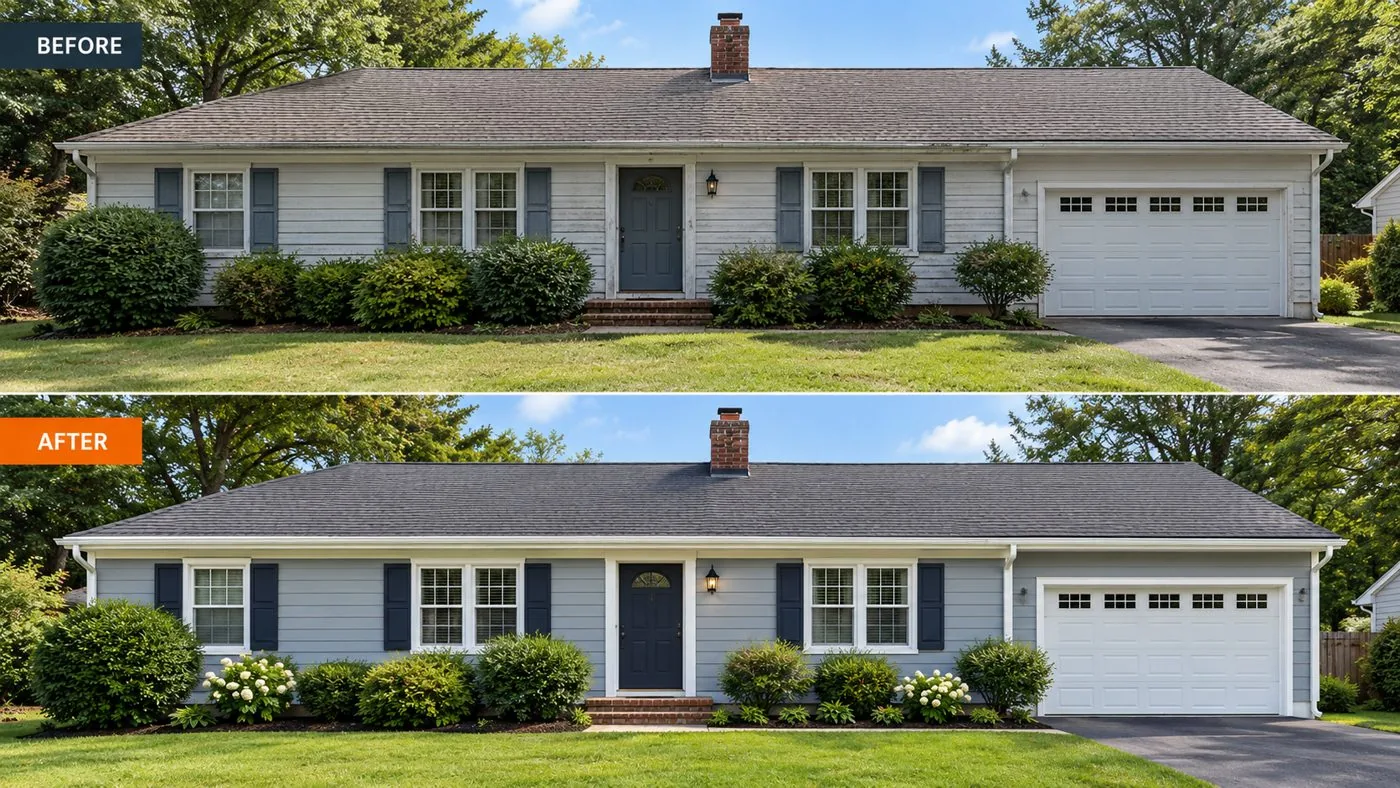
Here is what the fees look like on three real-sized payments, side by side. Bank payments are where the savings are big. Flip to cards to see the fair comparison.
Deposit on a bathroom remodel
$2,500 paid by bank
You keep $20.00 more
Final payment on a kitchen
$10,000 paid by bank
You keep $95.00 more
Progress payment on a new roof
$25,000 paid by bank
You keep $245.00 more
Deposit on a bathroom remodel
$2,500 paid by card
Card fees are close, because everyone pays about the same card rate. Bank payments are where the savings are big.
Final payment on a kitchen
$10,000 paid by card
Card fees are close, because everyone pays about the same card rate. Bank payments are where the savings are big.
Progress payment on a new roof
$25,000 paid by card
Card fees are close, because everyone pays about the same card rate. Bank payments are where the savings are big.
Fees shown are what comes out of the payment, on Grover Work Pro. Other companies' rates are from their own pricing pages, checked October 28, 2026: Jobber pricing, Housecall Pro pricing, Service Fusion pricing, Service Fusion payments. "From" marks a lowest advertised card rate, so the real fee can be higher. Service Fusion does not publish a bank rate, so it is not shown for bank payments. Card fees are close everywhere; what Grover Work adds is the quotes, change orders, customer page and invoices around them, and a way to share the card fee with your customer where your state allows it.
The easiest way to get more recurring seasonal HVAC customers is to offer a simple maintenance plan to people you already serve: a spring cooling tune-up and a fall heating tune-up. Book the next visit before you leave, keep a payment method on file, and send reminders. This costs far less than buying new leads.
Read the guide →Five quick steps, no long forms and no training. Skip any step and change it later.
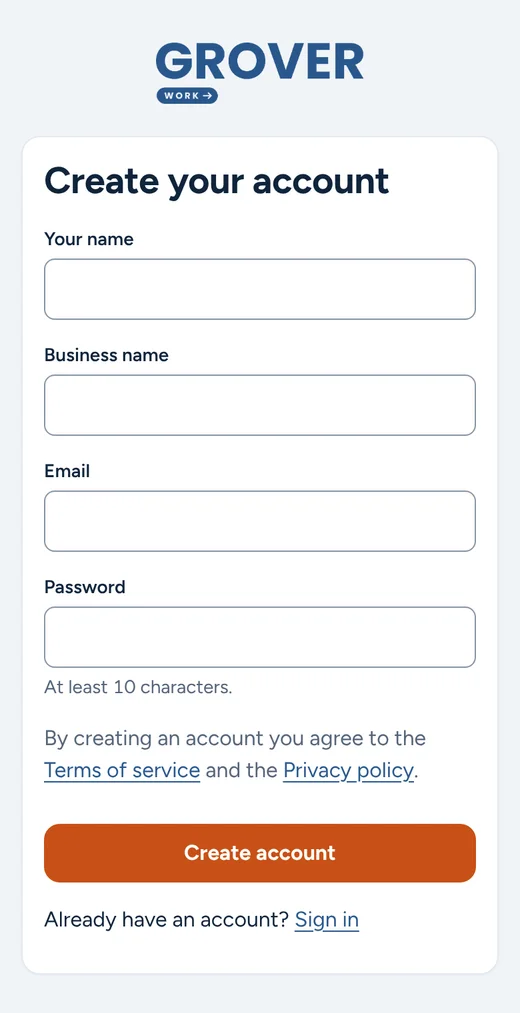
Create your accountYour name, business name and email. Under a minute.
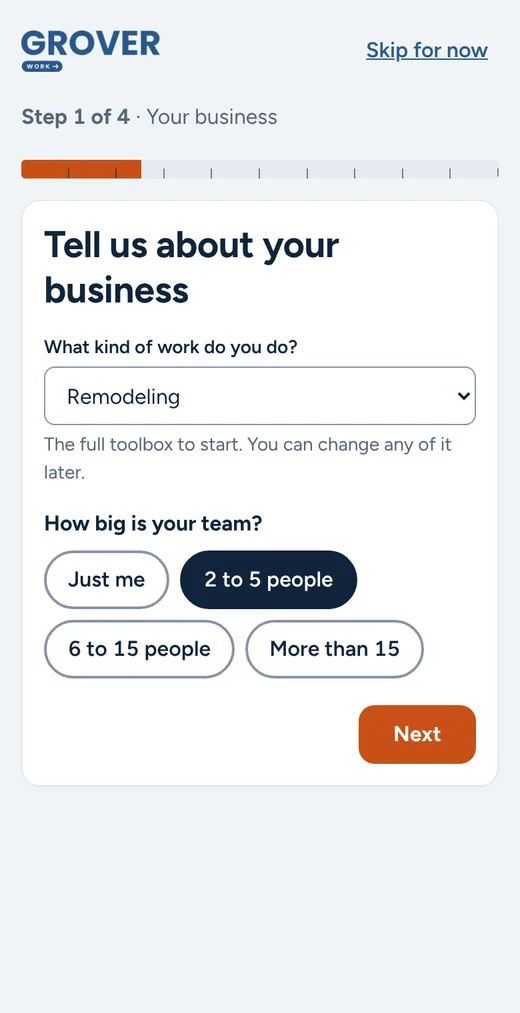
Pick your tradeChoose the kind of work you do and the size of your team.
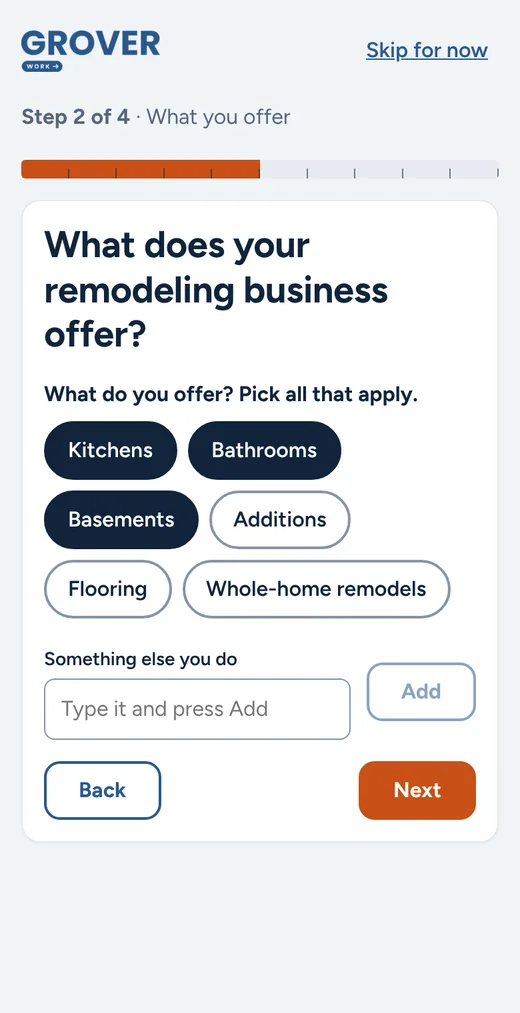
Tap what you offerKitchens, baths, roofs, lawns: tap your services or add your own.
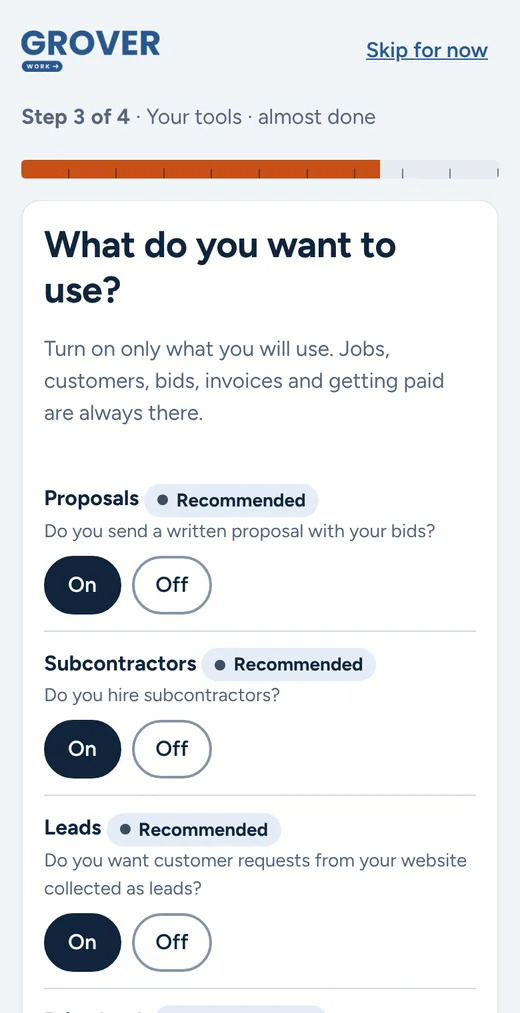
Choose your toolsOnly what you will use. Recommended tools are marked for you.
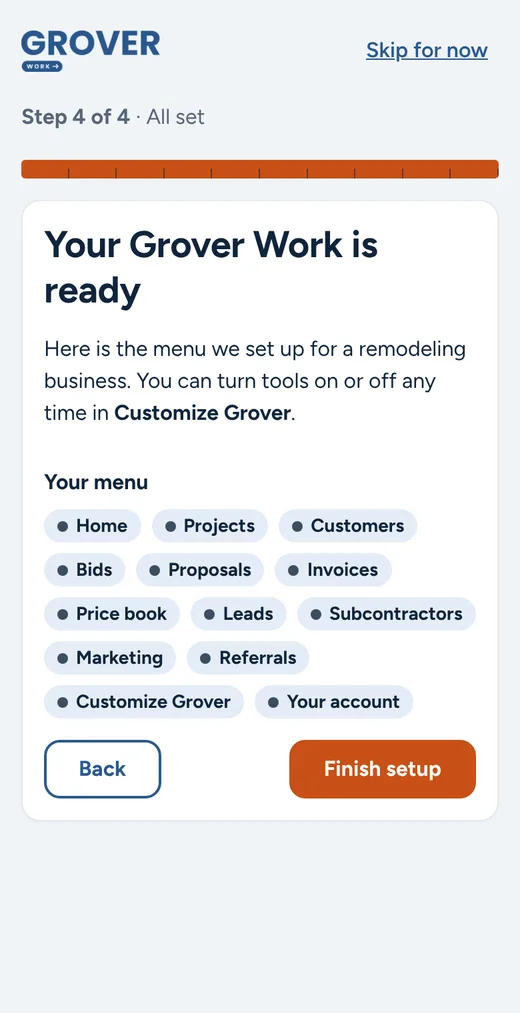
You are readyYour menu is set up. Send your first estimate today.
Taking card and bank payments? Payment verification can take a few days, so we start it for you while you set up. By the time you need it, it will be ready.
Real screens from the Grover Work app.
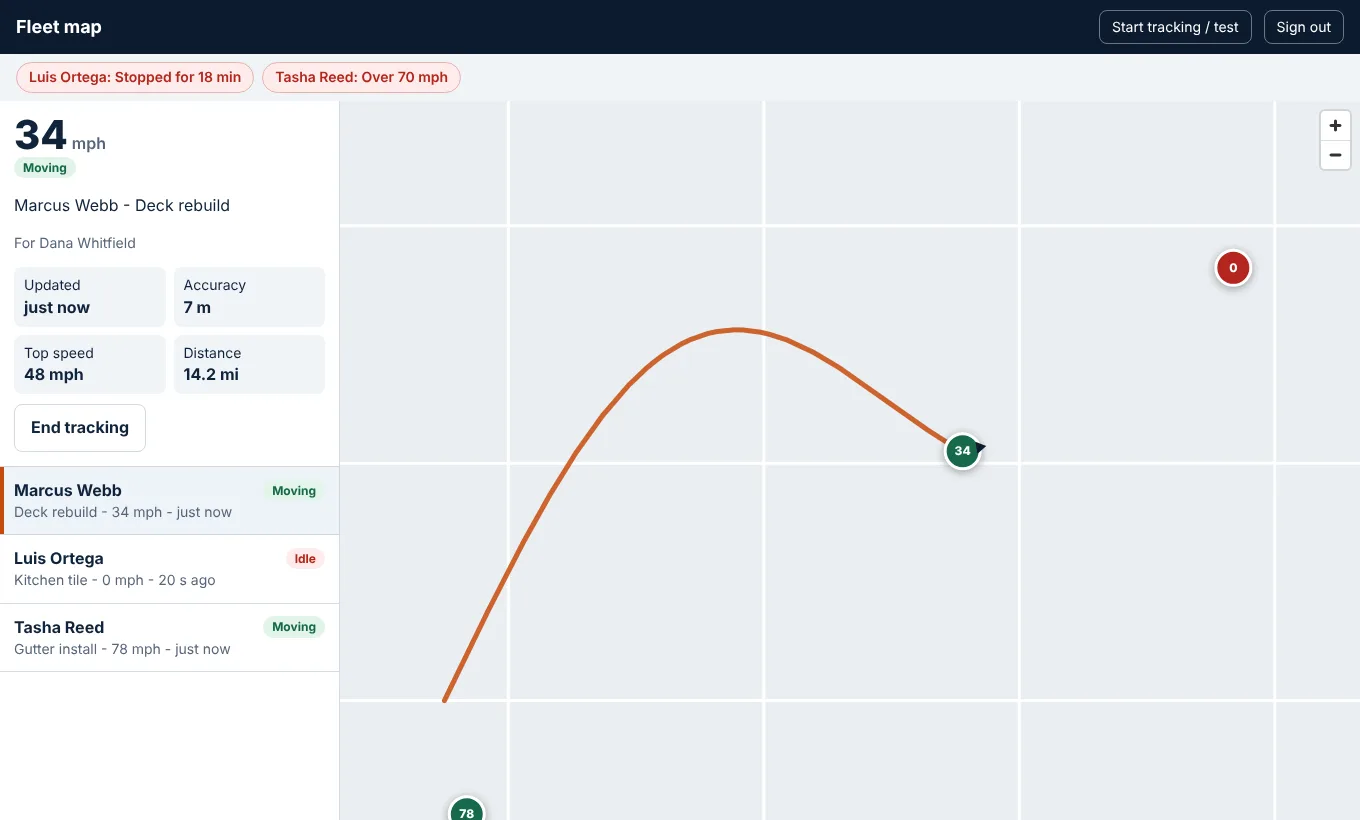
Vehicle tracking
See location, speed and status on a live map, tied to the job your crew is working. It uses your workers' own phones, so there is nothing to buy or install.
Included in Scale. Add it to Pro for $10 per tracked worker. Pay only for workers who track.
Grover Work is open. Create your account in a few minutes, send your first estimate or invoice today, and get paid online.
No long-term contract. Cancel any time. See pricing
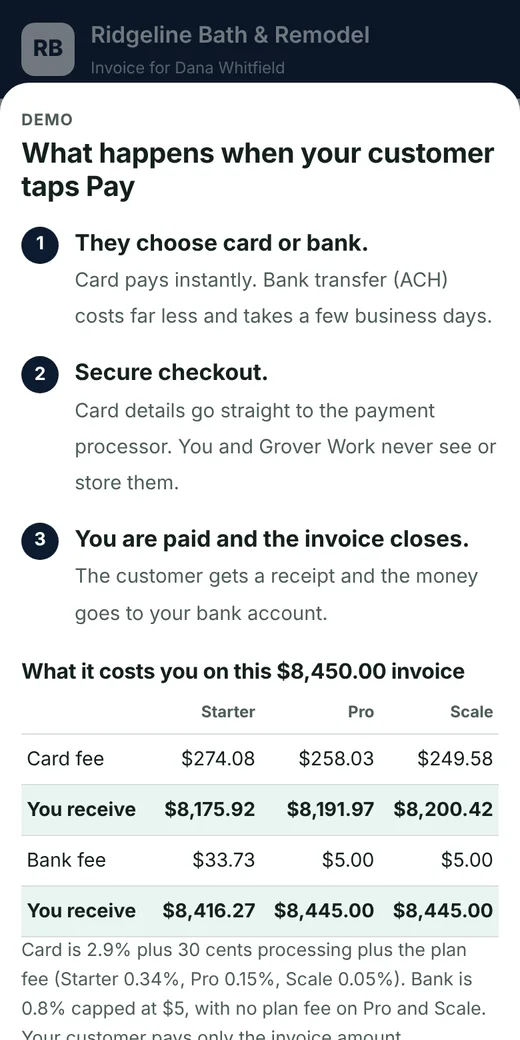
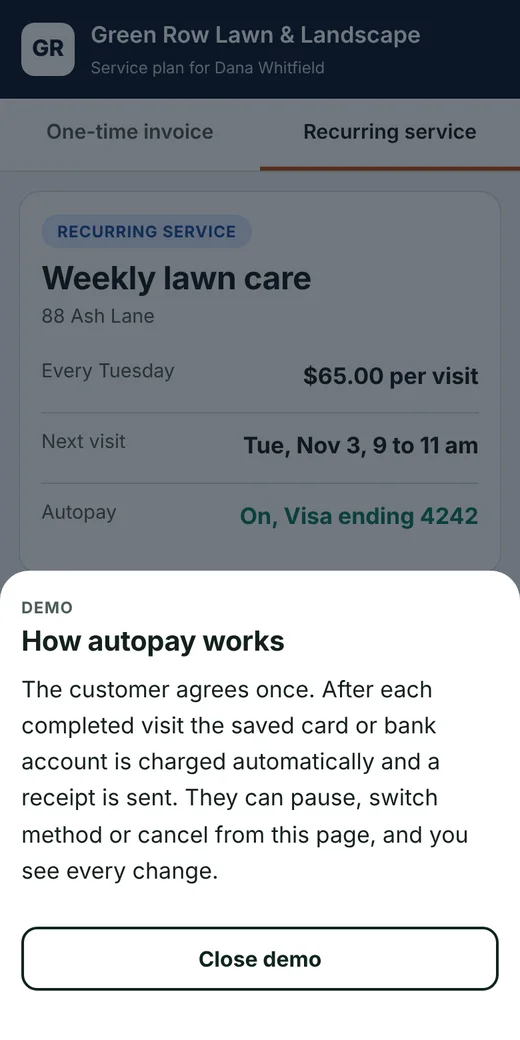
One secure link. No app to download and no login. Tap through a live sample, including what happens when they press Pay.
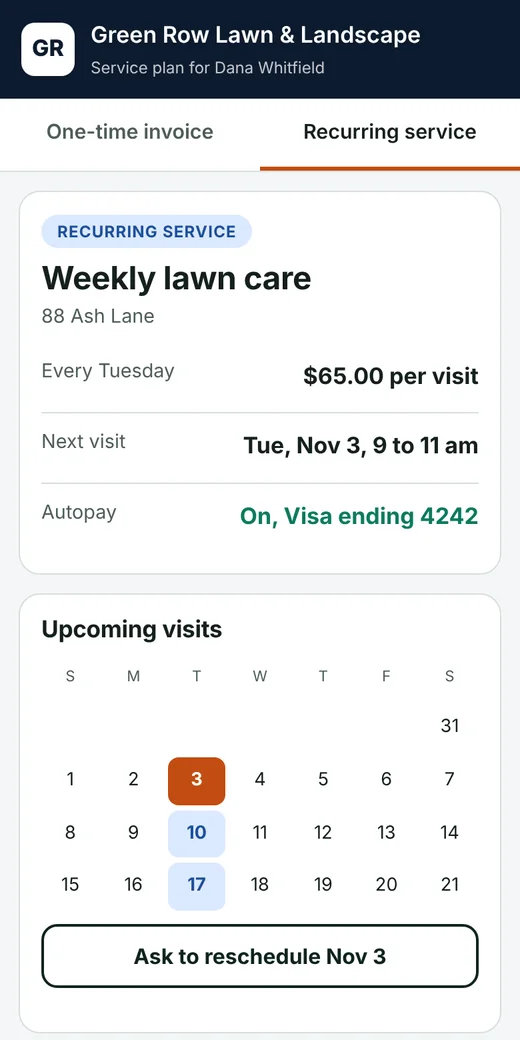
Open the sample invoiceOpen the recurring sample
A demo with made-up names and numbers. Fees shown follow the current plans.
Good-better-best options, e-signature and deposit requests when a customer says yes.
One link where homeowners see their estimate, invoices, payment history and job updates.
See a sample →Milestones, tasks and status in one view, so you always know what is billed and what is owed.
Set up weekly, monthly or custom service once. Customers agree in writing, their card or bank is saved securely, and each visit is billed automatically.
See a sample →A calendar for every visit. Drag to reschedule, and your crew sees their own visits on their phone.
See a sample →Answer a few questions and your account is set up in minutes. Payment verification can take a few days, so it runs while you set up and is ready by the time you need it.
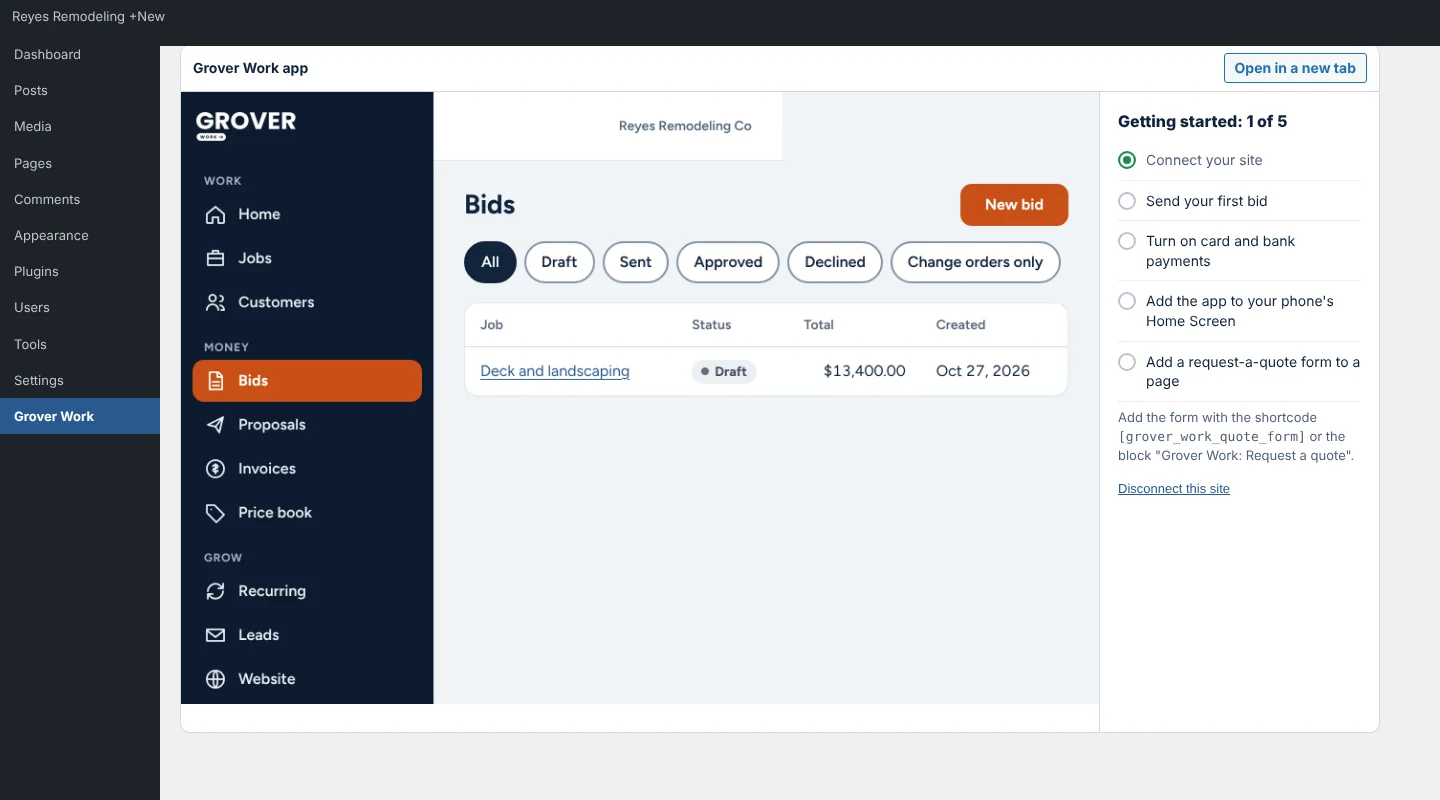
Run your Grover Work app inside your WordPress admin and add a request-a-quote form to your site. Nothing is sent until you click Connect.
See the plugin →It runs on your own site with your logo and your customer list. Your customers stay yours.
Free WordPress plugin
Grover Work Connect shows your Grover Work app in your WordPress admin, so you can send a bid, take a payment and check a job without switching tabs. It also adds a request-a-quote form to any page.
Pick your trade to see how Grover Work fits the way you work.
Long jobs drift. Grover Work keeps the quote, the changes and the payments in one place so nobody argues about what was agreed.
Roofs, siding, gutters, decks and fences all hold surprises: rotten decking, a gate that moves, a property line that does not match the plan. Write it up, get it signed, and get paid for it.
Send the quote, add the part you did not expect as a signed change, and collect payment from the customer's phone.
Panel upgrades, add-on circuits and solar installs get expensive fast. Put every change in writing, take the deposit up front and bill the rest in stages.
Quote the install with a deposit, then put the maintenance visits on a recurring plan so the customer is billed automatically.
Trim colors, extra rooms and upgraded flooring are where profit leaks. Get them signed, take the deposit up front, and finish with the final payment.
Concrete, stone and asphalt jobs cost real money up front and change once the ground is open. Take a deposit to start, sign the extras, and bill the balance when it cures.
Quote a weekly or monthly plan once. After that every visit is on the calendar and every payment takes care of itself, so you stop invoicing every Friday.
Pressure washing, gutters, small repairs and one-off specialty work. Send a clear quote, take a deposit when they say yes, and write up add-ons before you do them. Then offer your best customers a repeat plan.
It is not what you pay, it is what you keep. Every price is on this page, with no demo to book, no quote to request and no sales call, so you know what you are getting before you sign up.
| Plan | Paid by card | Paid by bank |
|---|---|---|
| Starter (free) | $8,187.75fee $262.25 | $8,428.10fee $21.90 |
| Pro | $8,204.65fee $245.35 | $8,445.00fee $5.00 |
| Scale | $8,204.65fee $245.35 | $8,445.00fee $5.00 |
Fees and processing are already taken out of what you keep. Your customer pays only the invoice amount. See it on the sample invoice or compare side by side.
$0 a month, no card needed
For getting started and testing the water.
Upgrade only when you grow. No contract, cancel any time.
Most contractors send their first estimate or invoice within minutes of finishing the onboarding questions.
No. Customers open a secure link, review the estimate or invoice, and pay by card or bank transfer. No login required.
When your customer pays, the money goes to your bank account, not ours. Card payments usually arrive within a few business days. Your first payout can take a little longer while your account is new.
Verifying your business for card and bank payments can take a few days, so it runs while you set up your account. By the time you need it, it will be ready. Your first payout can take a little longer while your account is new.
No long-term contracts. You can cancel any time.
The combined rate drops as you move up a plan, and above $150,000 a month Partner pricing is custom. Card and bank processing is included in the rates. The compare page shows the all-in cost, and full fee terms are shared when you sign up.
Yes. We can help import your customer list during onboarding so you are not starting from scratch.
Grover Work is open. Sign up and send your first estimate today.
Sign up now